Android 17 QPR2 Released for Pixel Devices: Custom Themes, Status Bar Controls, and New Features
Android 17 QPR2 released for Pixel devices a month ahead of schedule alongside the November 2026 Pixel Drop. Explore the new custom color slider, status bar controls, one-time APK install permissions, Auracast Voice Broadcast, and eligible Pixel phones.
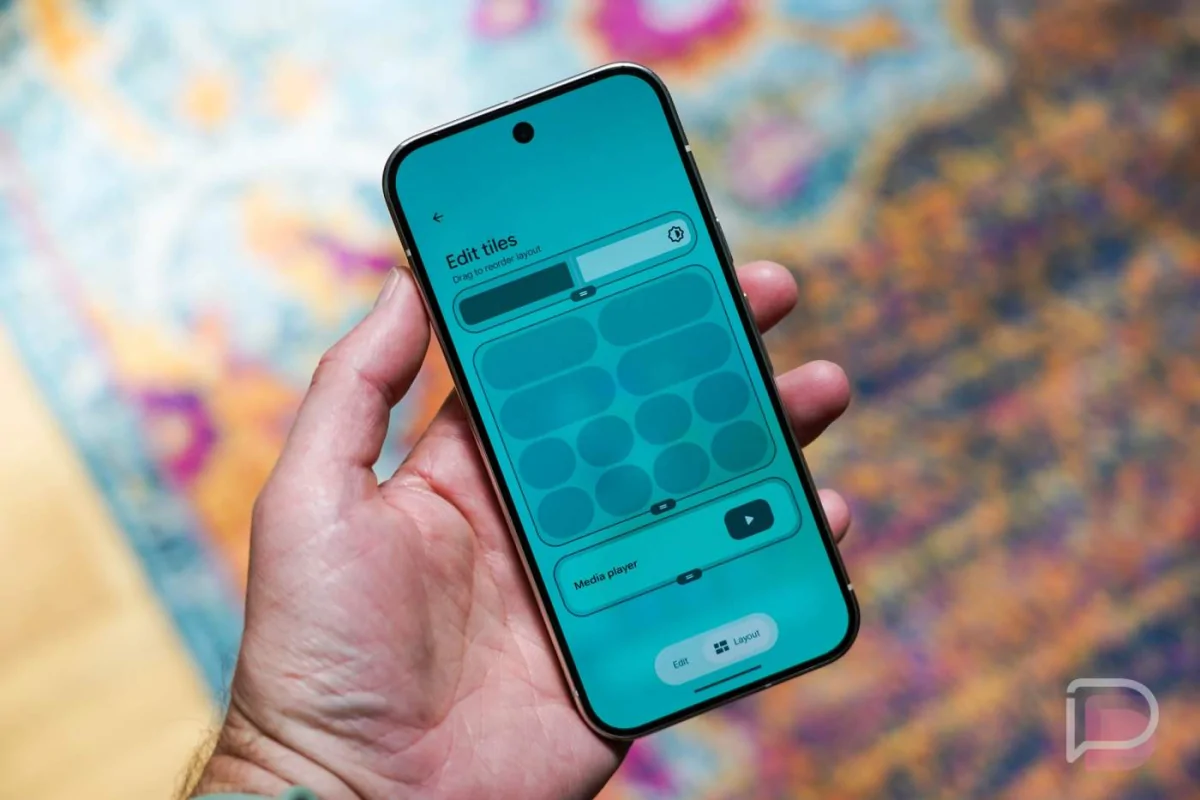
Android 17 QPR2 released for Pixel devices on November 10, 2026, Google has surprised smartphone users by rolling out its second Quarterly Platform Release a full month ahead of the traditional December schedule. Arriving alongside the November 2026 Pixel Feature Drop and the latest monthly security patch, this stable update delivers practical interface refinements, stronger privacy tools, and over 30 targeted bug fixes.
While the update is rolling out first to supported Google Pixel smartphones, tablets, and foldables, many of the underlying improvements are built directly into the core Android operating system. As a result, users of other Android brands can also expect several of these platform-level features and developer capabilities to appear in future software updates from their respective device manufacturers.
Deeper Color Customization and Adaptive Wallpapers
Personalization takes a major step forward in the stable Android 17 QPR2 update. Previously, users who wanted to theme their interface had to rely on preset color palettes generated by the system. Google has now added granular color controls inside the Wallpaper & style > Color menu.
By tapping the new color palette icon in the top-right corner of the color picker, users can open a full rainbow hue slider to select a custom accent color. In addition, tapping the pencil icon lets users fine-tune the visual mood across four distinct color intensity styles:
- Neutral: Offers a subtle, muted appearance for minimal distraction.
- Soft: Applies gentle pastel tones across menus and quick controls.
- Bright: Delivers lively, noticeable color accents throughout the interface.
- Bold: Maximizes color contrast and saturation for high visibility.
Beyond custom color sliders, Android 17 QPR2 introduces native platform support for light and dark mode adaptive wallpapers. Compatible wallpaper collections can now automatically shift between bright daytime visuals and darker nighttime designs whenever the system theme changes.
Backdrop Blur and Frosted Glass Visual APIs
To make third-party applications look cleaner and more modern, Google has introduced new developer APIs for backdrop blurring and frosted glass effects. Users will notice these translucent visual layers most clearly during media playback or when Live Captions are active on screen, giving app developers a standardized way to create polished, readable overlays.
Granular Status Bar and Quick Settings Controls
For years, Android users have asked for a built-in way to clean up crowded icons at the top of their screens without using third-party tools. With Android 17 QPR2 released for Pixel devices, a dedicated Status bar settings page is now available under both Settings > Notifications > Status bar and Settings > System > Status bar.
Customizing Notification and System Icons
The new status bar menu separates controls into two clear categories so users can decide exactly what stays visible:
- Notification Icons: Users can choose All to fill available status bar space with active app alerts, Priority only to display only urgent conversations and alerts, or None for a completely clean top bar.
- System Icons: Users can individually toggle status indicators on or off for Battery percentage, Mute (displays an icon when audio is silenced), and Vibrate (displays an icon when vibration mode is active).
Google has also removed a frustrating restriction in Quick Settings where certain apps could lock the display at maximum brightness. Even if an active app attempts to override display settings, users can now manually adjust the brightness slider from Quick Settings at any time.
Smarter Multitasking for Foldables and Large Screens
Students and professionals who rely on foldable phones or tablets for split-screen productivity get a much smoother workflow in this release. Google has added a dedicated window handle at the top of active apps on foldable devices.
By tapping or dragging this top handle, users can quickly transition a full-screen app into split-screen view, expand a split-screen or floating window back to full screen, or drag floating app bubbles to a new spot on the display. Furthermore, tapping the Manage button inside an open app bubble now reveals a direct Move to fullscreen shortcut.
Streamlined App Installation with One-Time Permissions
Installing APK files from a web browser or file manager outside the Google Play Store is now safer and more convenient. Instead of forcing users to permanently toggle "Install unknown apps" permissions on and off in deep settings menus, Android 17 QPR2 introduces a new three-option system dialog whenever an external app installation is requested:
- Only this time: Grants temporary permission for the current installation session and automatically revokes access as soon as the app finishes installing.
- Always allow: Grants ongoing installation permission to the trusted browser or file manager, which can be revoked anytime under Settings > Apps > Special app access > Install apps.
- Don't allow: Immediately blocks the installation request and closes the prompt.
This one-time permission model is particularly helpful for students and general users who occasionally install educational tools or utility apps from trusted websites but want to keep their devices protected from accidental background installations afterward.
Auracast Voice Broadcast and Bluetooth LE Audio Upgrades
Android 17 QPR2 expands Bluetooth LE Audio capabilities by introducing a preview of Voice Broadcast over Auracast. This feature allows a user to turn their Pixel phone into a live audio transmitter using the built-in microphone or a connected wired headset.
Nearby listeners can tune in using Auracast-compatible headphones, hearing devices, or other supported Android phones—making it useful for classroom lectures, group study sessions, or guided tours. Users can start a broadcast directly from a new Quick Settings tile, customize the broadcast name, and enable a Private channel switch to protect the audio stream with a password.
Enhanced Privacy Controls and Call Forwarding Protection
Security and on-device transparency receive substantial upgrades in the November 2026 release:
- Private Compute Core Data Logging: Under Settings > Security & privacy > Privacy dashboard > Private Compute Core, users can now inspect what data leaves the isolated on-device AI environment. Two optional logging levels are available: Limited (stores a summary for up to 72 hours) and Detailed (stores raw logs for up to 12 hours).
- Call Forwarding Fraud Protection: To protect mobile banking and personal accounts from social engineering scams, Android 17 QPR2 blocks regular apps from silently running call-forwarding USSD codes (such as
*21#) in the background. If a user manually dials a call-forwarding code, the operating system now displays a clear confirmation warning before executing the command. - Over 30 Bug Fixes and Security Patches: The update resolves 33 Pixel-specific issues—fixing keyboard stutters, sudden audio volume spikes, camera photo-saving errors on the Pixel 11 lineup, background sensor battery drain, and fingerprint unlock glitches—while patching over 230 security vulnerabilities across the November security bulletin.
Eligible Pixel Devices and How to Update
The stable Android 17 QPR2 update is rolling out over the air (OTA) to 23 supported Google devices:
- Pixel 11 Series: Pixel 11, Pixel 11 Pro, Pixel 11 Pro XL, Pixel 11 Pro Fold
- Pixel 10 Series: Pixel 10a, Pixel 10, Pixel 10 Pro, Pixel 10 Pro XL, Pixel 10 Pro Fold
- Pixel 9 Series: Pixel 9a, Pixel 9, Pixel 9 Pro, Pixel 9 Pro XL, Pixel 9 Pro Fold
- Pixel 8 Series: Pixel 8a, Pixel 8, Pixel 8 Pro
- Pixel 7 & 6 Series: Pixel 7a, Pixel 7, Pixel 7 Pro, Pixel 6a
- Large-Screen Devices: Pixel Fold, Pixel Tablet
To download the update manually, open Settings > System > System update and tap Check for update. Users currently enrolled in the Android 17 QPR2 Beta program can opt out of the beta program now and install this stable release without wiping their personal data.
Final Thoughts for Pixel Users
Having Android 17 QPR2 released for Pixel devices a month early is a welcome bonus for Pixel owners in Bangladesh and around the world. Rather than focusing on flashy gimmicks, Google has prioritized practical daily improvements—giving users full control over status bar clutter, custom theme colors, safer one-time APK installations, and stronger protection against call-forwarding scams. If you use an eligible Pixel phone from the Pixel 6a up to the Pixel 11 Pro XL, installing this November update is highly recommended for both the quality-of-life upgrades and critical security fixes.